May 2026 – now
McGill Course Assistant
Ask questions about McGill courses in plain language, and explore every prerequisite as one big interactive graph.
- Built with
- Cohere (Embed, Rerank, Command A+), Cloudflare Workers, Vectorize, D1 and AI Gateway, plain HTML/CSS/JS on GitHub Pages
Two tools that answer the same question from different directions: what should I take, and what do I need first?
The assistant is retrieval-augmented. A question is embedded with Cohere Embed and compared against course descriptions in Cloudflare Vectorize. The ~10 nearest (by cosine distance) are cheap to find, then Cohere Rerank picks the most relevant, and Command A+ answers using them. The backend runs on Cloudflare Workers and D1, with AI Gateway in front of the model to cache repeated questions and rate-limit the rest.
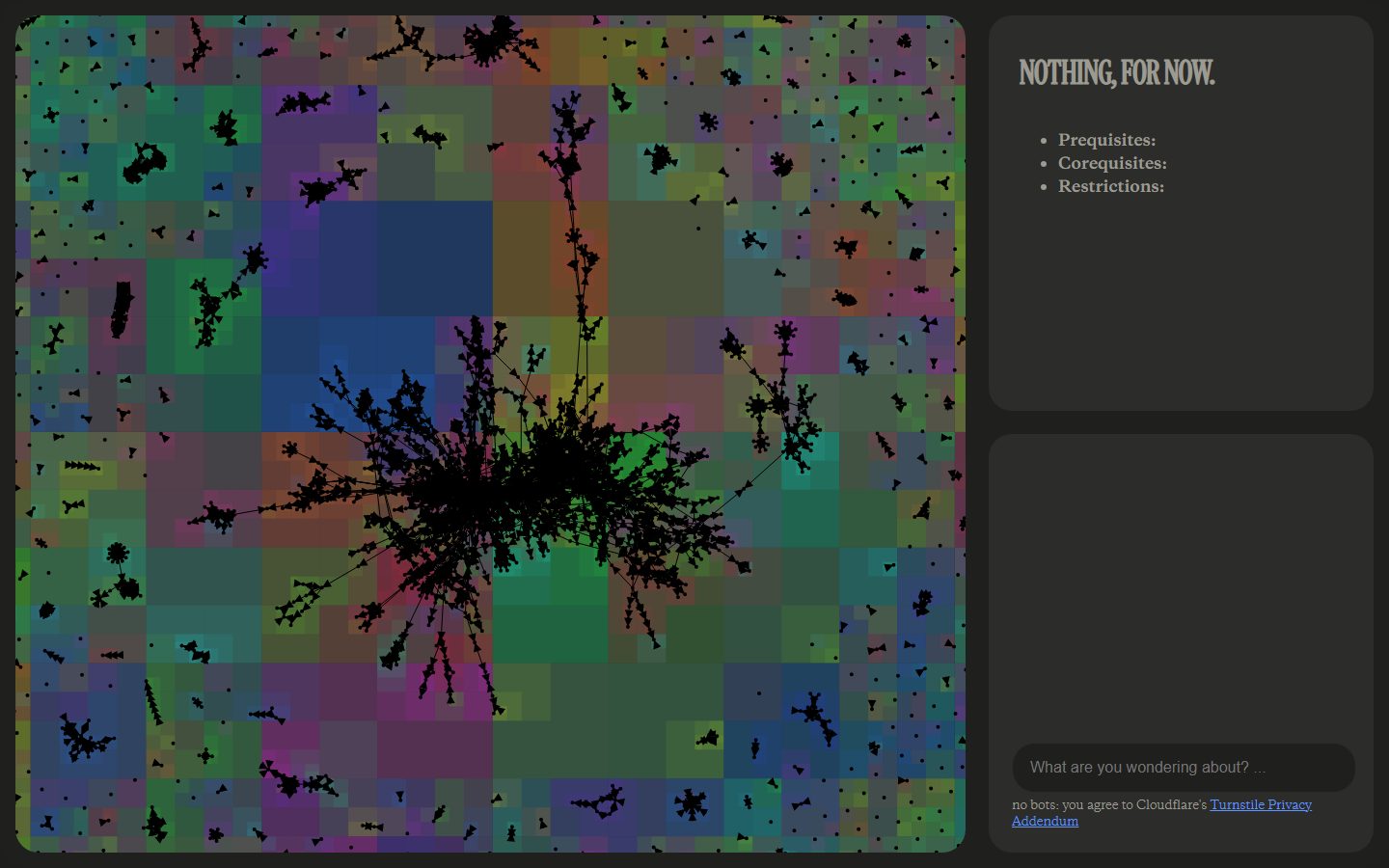
The graph draws McGill's prerequisites as a force-directed layout of about 5,800 nodes. The first version was painfully slow, even on a fairly powerful laptop: every node pushes on every other node, so the work grows with the square of the number of courses. A Barnes-Hut quadtree, which treats far-away clusters of nodes as a single estimated mass, made the simulation 109× faster. After also sorting out some memory and animation problems, it became properly snappy, and it works on phones too, with touch controls.
The graph uses no libraries: the simulation, the quadtree, the rendering and the controls are all written from scratch. (Some of the assistant's tools were written with AI help.)